# Fluxer
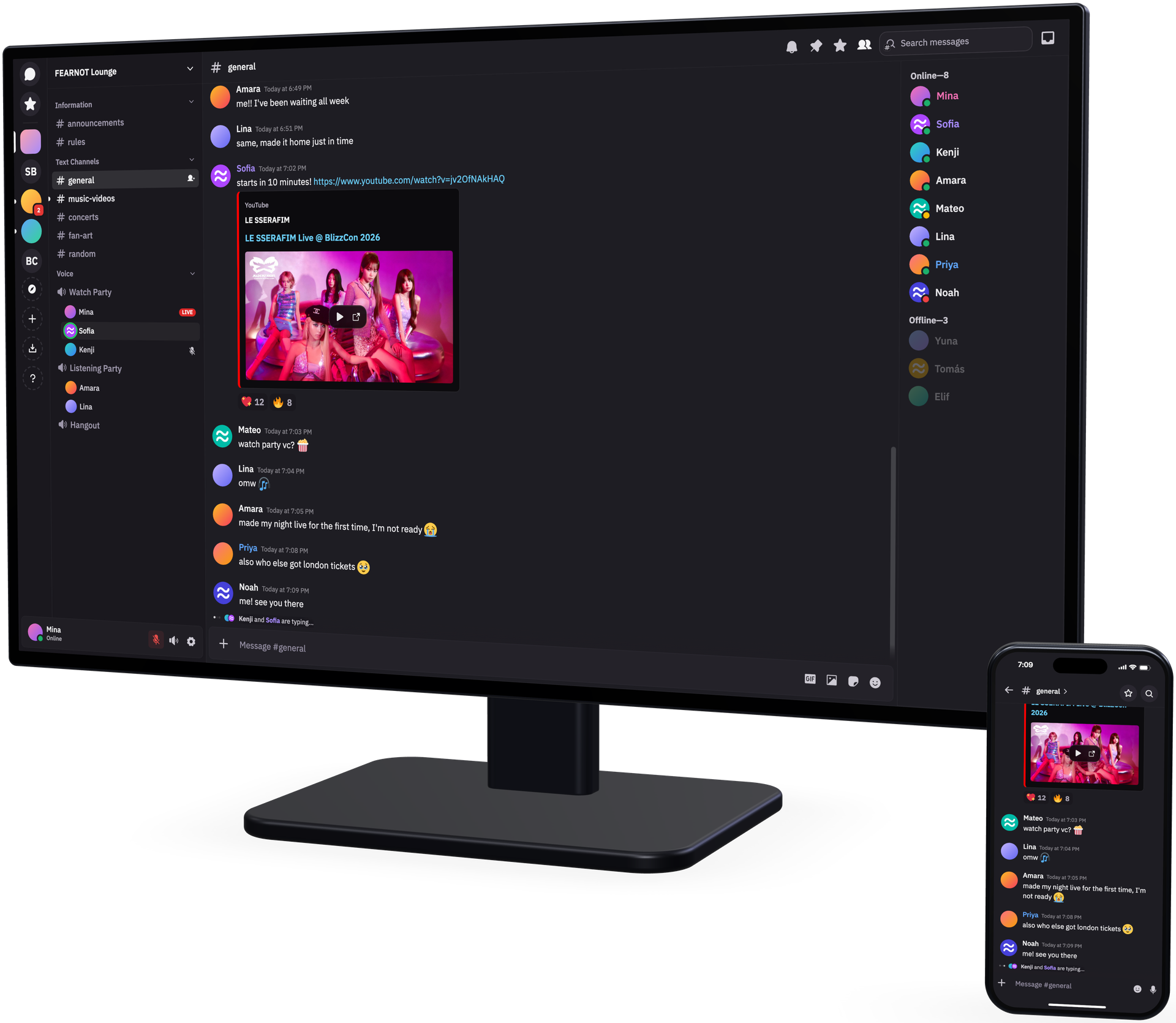
Fluxer is a free and open source instant messaging and VoIP chat app built for friends, groups, and communities.
## Download
| Windows | macOS | Linux | Android | iOS |
| --- | --- | --- | --- | --- |
| [Installer (x64)][win-setup-x64] | [Disk image][mac-dmg] | [Flathub][flathub] | [Google Play (beta)][android-play] | [TestFlight][ios-testflight] |
| [Installer (ARM64)][win-setup-arm64] | | [deb (x64)][linux-deb-x64] | [APK (beta)][android-apk] | |
| [Portable (x64)][win-portable-x64] | | [deb (ARM64)][linux-deb-arm64] | [Obtainium (beta)][obtainium] | |
| [Portable (ARM64)][win-portable-arm64] | | [rpm (x64)][linux-rpm-x64] | | |
| | | [rpm (ARM64)][linux-rpm-arm64] | | |
| | | [AppImage (x64)][linux-appimage-x64] | | |
| | | [AppImage (ARM64)][linux-appimage-arm64] | | |
| | | [tar.gz (x64)][linux-targz-x64] | | |
| | | [tar.gz (ARM64)][linux-targz-arm64] | | |
The macOS disk image runs on both Apple silicon and Intel. Windows and Linux need the build matching your processor.
On Linux, prefer a repository over a single file so Fluxer updates with the rest of your system.
## Linux package repositories
The package is `fluxer` for stable and `fluxer-canary` for canary. apt and dnf subscribe to one channel per entry file. pacman and Flatpak serve both from one repository.
### Flatpak
Stable is on [Flathub][flathub], the easiest route on most desktops:
```sh
flatpak install flathub app.fluxer.Fluxer
```
Flathub has stable only. To use Fluxer's own repository, open [the stable][flatpak-ref] or [the canary][flatpak-canary-ref] reference file and your software manager takes over. Some desktops also accept `flatpak+https://pkgs.fluxer.com/flatpak/fluxer.flatpakref` in the address bar.
From a terminal:
```sh
flatpak install https://pkgs.fluxer.com/flatpak/fluxer.flatpakref
```
### Debian and Ubuntu
```sh
sudo install -d -m 0755 /etc/apt/keyrings
sudo curl -fsSL -o /etc/apt/keyrings/fluxer-archive-keyring.gpg https://pkgs.fluxer.com/keys/fluxer-archive-keyring.gpg
sudo curl -fsSL -o /etc/apt/sources.list.d/fluxer.sources https://pkgs.fluxer.com/deb/fluxer.sources
sudo apt update && sudo apt install fluxer
```
For canary, use the canary entry file and package.
```sh
sudo curl -fsSL -o /etc/apt/sources.list.d/fluxer-canary.sources https://pkgs.fluxer.com/deb/fluxer-canary.sources
sudo apt update && sudo apt install fluxer-canary
```
A `.deb` installed from a download only updates once its channel's entry is added.
### Fedora and RHEL
```sh
sudo curl -fsSL -o /etc/yum.repos.d/fluxer.repo https://pkgs.fluxer.com/rpm/fluxer.repo
sudo dnf install fluxer
```
For canary, use the canary entry file and package.
```sh
sudo curl -fsSL -o /etc/yum.repos.d/fluxer-canary.repo https://pkgs.fluxer.com/rpm/fluxer-canary.repo
sudo dnf install fluxer-canary
```
RHEL, Rocky, Alma and CentOS Stream need `sudo dnf install epel-release` first, because their base repositories lack `libXScrnSaver`. Fedora does not.
### Arch Linux
The repository is signed, so pacman needs the key once:
```sh
sudo pacman-key --init
curl -fsSL -o /tmp/fluxer-archive-keyring.asc https://pkgs.fluxer.com/keys/fluxer-archive-keyring.asc
sudo pacman-key --add /tmp/fluxer-archive-keyring.asc
sudo pacman-key --lsign-key 09D01339EE128925F75E675C855C5BDE34D205D2
```
`--lsign-key` is what makes pacman trust it. Then add the repository:
```sh
sudo tee -a /etc/pacman.conf >/dev/null <<'REPO'
[fluxer]
SigLevel = Required TrustedOnly
Server = https://pkgs.fluxer.com/arch/$repo/os/$arch
REPO
sudo pacman -Syu fluxer
```
Write `$repo` and `$arch` literally. Both are pacman variables, not shell ones, hence the quoted heredoc.
Full setup notes, including canary, are in the [Linux repositories documentation][docs-linux].
## Other ways to run it
- [Open Fluxer in a browser](https://web.fluxer.app), no install needed.
- [Host your own instance][docs-selfhost] from this repository.
## Documentation
- [Documentation home][docs]
- [Downloads][docs-downloads]
- [Self-hosting][docs-selfhost]
## License
The source is licensed under the [AGPL-3.0-or-later](./LICENSE) license.
Fluxer artwork, such as the logo, icons, badges and default avatars, is
licensed under [CC BY-SA 4.0](./fluxer_static/LICENSE). Third-party material
keeps its own terms, listed in
[fluxer_static/THIRD_PARTY_LICENSES.md](./fluxer_static/THIRD_PARTY_LICENSES.md).
Use of the Fluxer name and logo is covered by the
[name and marks policy](./.github/GOVERNANCE.md#name-and-marks).
[win-setup-x64]: https://pkgs.fluxer.com/desktop/stable/win32/x64/latest/setup
[win-setup-arm64]: https://pkgs.fluxer.com/desktop/stable/win32/arm64/latest/setup
[win-portable-x64]: https://pkgs.fluxer.com/desktop/stable/win32/x64/latest/portable
[win-portable-arm64]: https://pkgs.fluxer.com/desktop/stable/win32/arm64/latest/portable
[mac-dmg]: https://pkgs.fluxer.com/desktop/stable/darwin/arm64/latest/dmg
[linux-deb-x64]: https://pkgs.fluxer.com/desktop/stable/linux/x64/latest/deb
[linux-deb-arm64]: https://pkgs.fluxer.com/desktop/stable/linux/arm64/latest/deb
[linux-rpm-x64]: https://pkgs.fluxer.com/desktop/stable/linux/x64/latest/rpm
[linux-rpm-arm64]: https://pkgs.fluxer.com/desktop/stable/linux/arm64/latest/rpm
[linux-appimage-x64]: https://pkgs.fluxer.com/desktop/stable/linux/x64/latest/appimage
[linux-appimage-arm64]: https://pkgs.fluxer.com/desktop/stable/linux/arm64/latest/appimage
[linux-targz-x64]: https://pkgs.fluxer.com/desktop/stable/linux/x64/latest/tar_gz
[linux-targz-arm64]: https://pkgs.fluxer.com/desktop/stable/linux/arm64/latest/tar_gz
[flatpak-ref]: https://pkgs.fluxer.com/flatpak/fluxer.flatpakref
[flatpak-canary-ref]: https://pkgs.fluxer.com/flatpak/fluxer-canary.flatpakref
[flathub]: https://flathub.org/apps/app.fluxer.Fluxer
[android-play]: https://play.google.com/store/apps/details?id=com.fluxer
[android-apk]: https://github.com/fluxerapp/flutter_client/releases
[obtainium]: https://obtainium.imranr.dev/
[ios-testflight]: https://testflight.apple.com/join/PKZR6pK9
[docs]: https://docs.fluxer.app
[docs-downloads]: https://docs.fluxer.app/downloads/overview/
[docs-linux]: https://docs.fluxer.app/downloads/linux-repositories/
[docs-selfhost]: https://docs.fluxer.app/operator/get-started/